
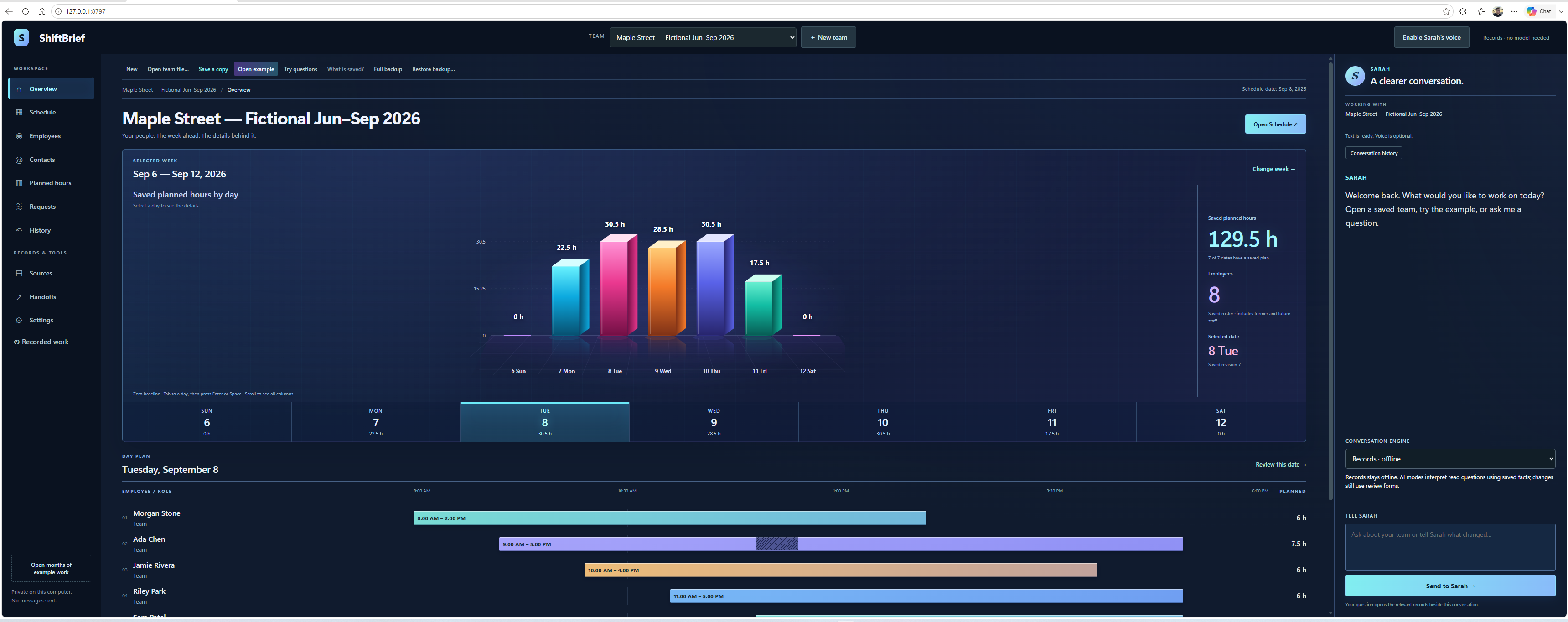
See the week in one place
Build around availability, review coverage gaps, and keep planned shifts separate from completed work.
Free product · Windows · version 0.1.0
Keep employee details, availability, schedules and recorded work together in one local Windows app. Core Records mode works without an AI model, account or API key.
Windows 10/11 · 64-bit · early independent release · unsigned installer
Built to be useful
Practical assistance without treating a suggestion as permission to change a schedule.
Build around availability, review coverage gaps, and keep planned shifts separate from completed work.
Sarah, the in-product records assistant, helps inspect saved evidence and suggestions. You decide which changes to accept.
Begin with a blank business or open the fictional Maple Street example. The example is optional.
Export one business, or save and restore a full workspace backup to move your records between computers.
Getting started
Download the installer, review the release notes, and open ShiftBrief from the Start menu. Python is included; a separate Python installation is not required.
The initial installer is unsigned. Review its source and published checksums before running it. Do not bypass security checks merely because a website tells you to.
Use the Windows installer above. A Desktop shortcut is optional. Your browser opens the local app; the new workspace starts blank. Select “Open example” to explore the fictional demo.
Normal Records mode needs no model, account or API key. Optional model integration uses your separately installed Ollama and a suitable model. Model weights are not bundled. See the repository README for setup.
“Save a copy” exports one business. “Full backup” and “Restore backup” move the saved workspace between computers. Keep backups before changing or clearing your data.
Use Start → ShiftBrief → Close ShiftBrief before upgrading or uninstalling. Uninstall through Windows Installed apps. Saved business records remain in %LOCALAPPDATA%\ShiftBrief\data.
Sarah works with supported questions about saved records. Employee-departure and replacement suggestions require review. She does not decide whom to fire, automatically reassign shifts, or contact employees. This is not payroll software or legal advice.
Free to use. Independent by design.
Iris is this website’s guide. Sarah inside ShiftBrief is a separate in-product role; Iris cannot access your business records.
· Release milestone ↗For developers: source code and license